Most purchased and aged lead lists are a mix of mobile numbers, office landlines, switchboards and VoIP lines. Your reps can't tell them apart by looking. Bulk validation checks every number against two independent number-allocation registries and tells you which ones are cell phones, so you can decide who to call first and how.
How it works
- Create a free account. Single lookups need no account, but bulk files are tied to your account so only you can see the results.
- Upload a CSV or TXT file. One number per line, or numbers spread across cells. Large files are processed as a stream, so you can upload a full list.
- Watch it process. A live counter shows totals for cellular, landline, VoIP, unknown and conflicting numbers. You can pause, resume or cancel.
- Filter and export. Filter by line type, carrier, state or area code, then export all rows, only the cell phones, only landlines, only VoIP, only unknowns, only conflicts, or your current filtered view.
What you get back for every number
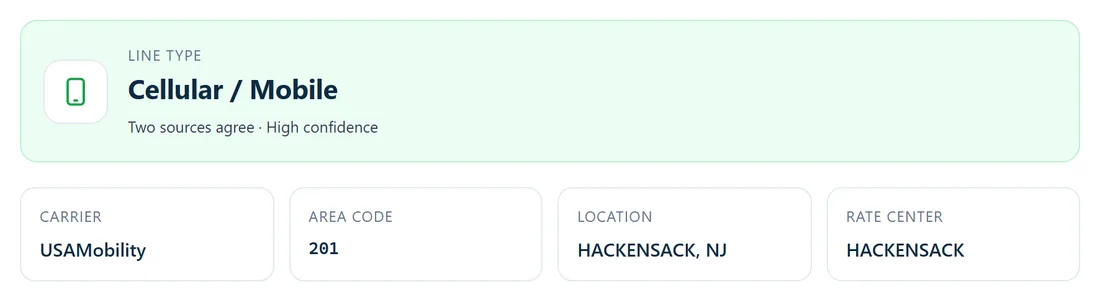
| Number | Line type | Carrier | State | Confidence |
|---|---|---|---|---|
| (201) 555-0142 | CELLULAR | Wireless carrier A | NJ | Two sources agree |
| (312) 555-0187 | LANDLINE | Local exchange carrier B | IL | Two sources agree |
| (415) 555-0119 | VOIP | VoIP provider C | CA | Two sources agree |
| (305) 555-0163 | CONFLICT | Sources disagree | FL | Sources disagree |
Example rows with placeholder 555 numbers and carrier names, to show the format. Your export also includes the original number, the normalized number, rate center and the raw evidence from each source.
- Line type: CELLULAR, LANDLINE, VOIP or UNKNOWN.
- Carrier: the company the number's block was assigned to.
- Location: state and rate center (city) of the number block.
- Confidence: whether both sources agree, only one has a record, or they disagree.
- Validity and duplicates: malformed numbers are flagged as invalid and repeated numbers are counted as duplicates, so you can clean the list at the same time.
Accepted file format
Upload a .csv or .txt file. Numbers can be in any common US format:
2012021234,201-202-1234,(201) 202-1234+1 201 202 1234or12012021234
Every number is normalized to the same 10-digit format in the export, so you can match results back to your CRM.
How numbers are counted
Each unique number in a file uses one credit, and so does each invalid number (it's checked too). Duplicates within the same file don't cost extra. New accounts get 1,000 free credits; after that credits cost $1 per 1,000 numbers with a $10 minimum, and they never expire.
Who uses bulk validation
- Sales and SDR teams who want reps calling mobiles first to reach decision makers directly.
- Insurance agents working aged and purchased leads.
- Call centers that need to know which numbers are wireless before loading a dialer campaign.
Frequently asked questions
How many numbers can I check for free?
Every new account gets 1,000 free credits for bulk files. Single lookups on the homepage don't need an account.
Can I export only the cell phone numbers?
Yes. After processing, choose "Cellular / Mobile" in the export menu to download only numbers both sources agree are mobile.
Does bulk validation tell me if a number is active?
No. It tells you what kind of line a number was allocated as and to which carrier. It doesn't ping the phone, so it can't confirm a handset is switched on or that the number is still in service.
What happens to numbers that were ported?
Results reflect the block a number was originally allocated from. A landline number that was later ported to a mobile carrier can still show as a landline. See our guide to ported numbers.
Is my list private?
Bulk files and results are tied to your account and are not shared with other users. See the privacy policy for details.